NimbleRx at Skippack Pharmacy
Got a NimbleRx Text From Us?
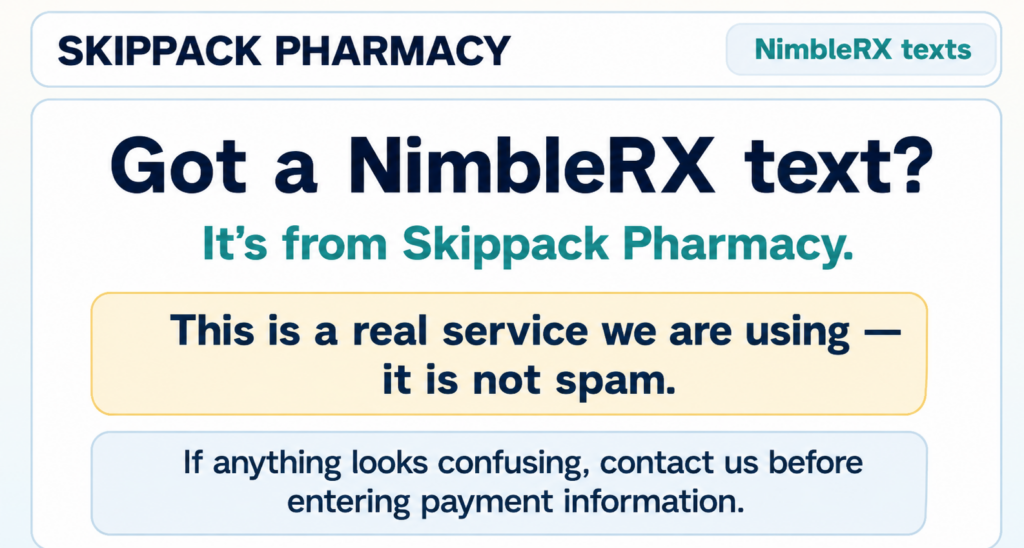
Yes — it’s really from Skippack Pharmacy.
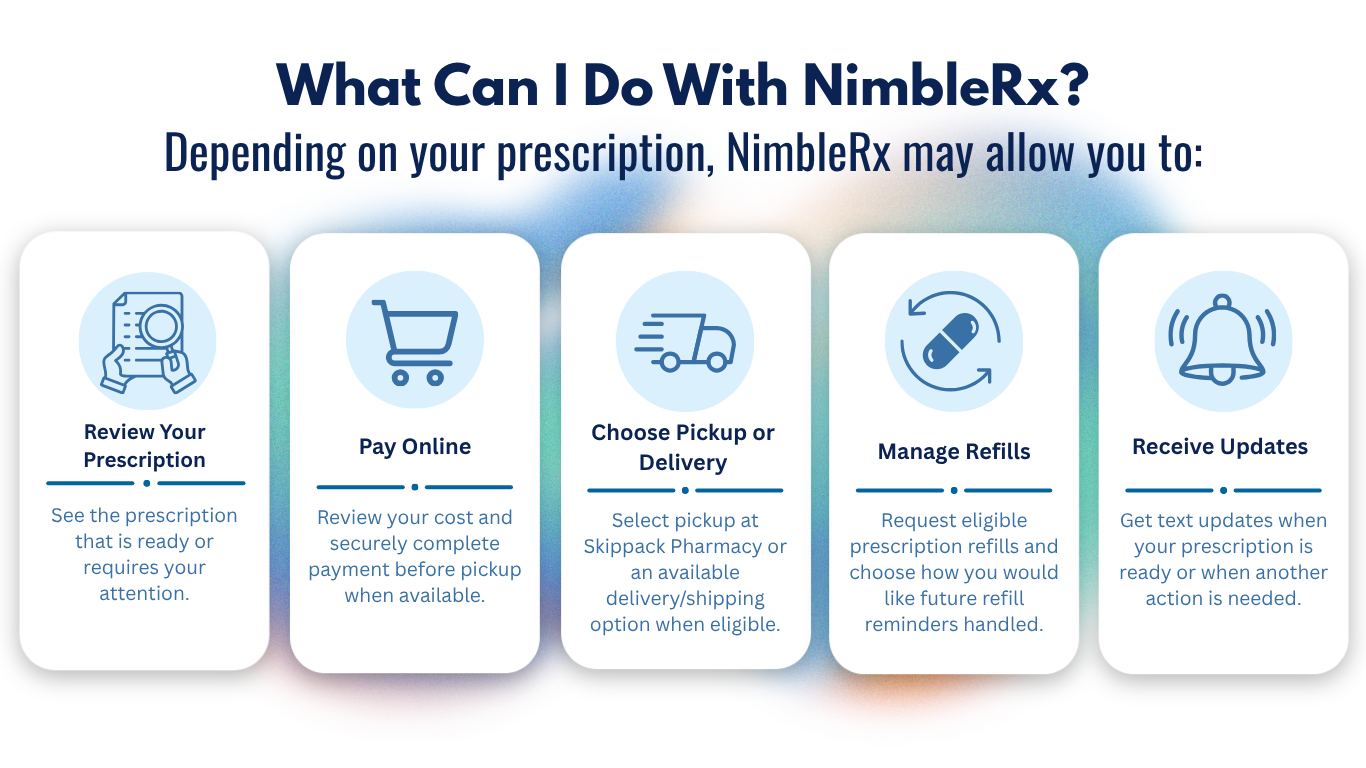
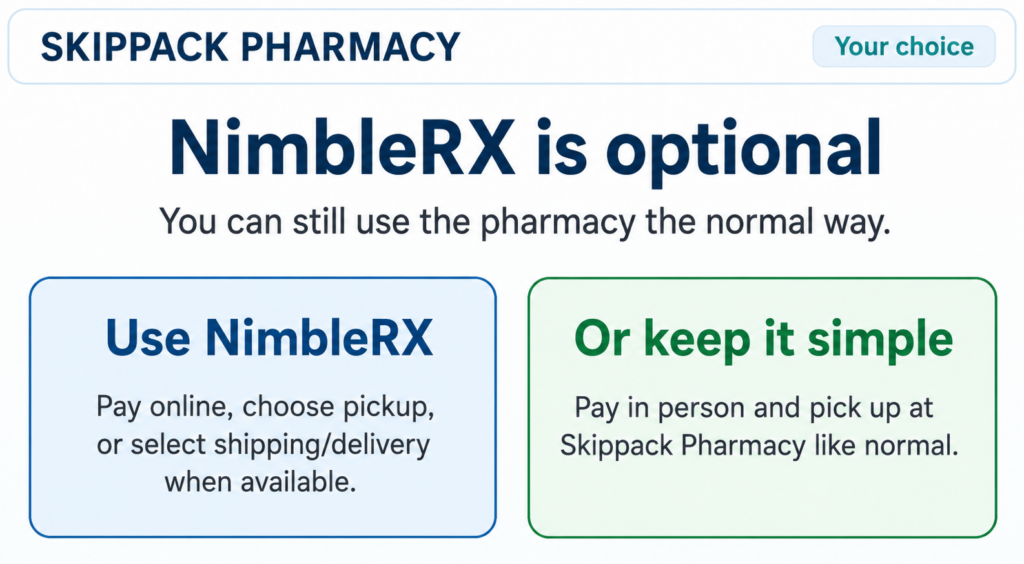
Skippack Pharmacy uses NimbleRx to send prescription updates and make it easier to review your prescription, pay online, choose pickup or available delivery/shipping options, and manage eligible refills.
NimbleRx is optional.
You can always call us, pay in person, and pick up your prescription at Skippack Pharmacy just like you normally would.
Not sure a message is legitimate?
Call or text us at 267-766-0076 before entering payment information.
How to Use NimbleRx
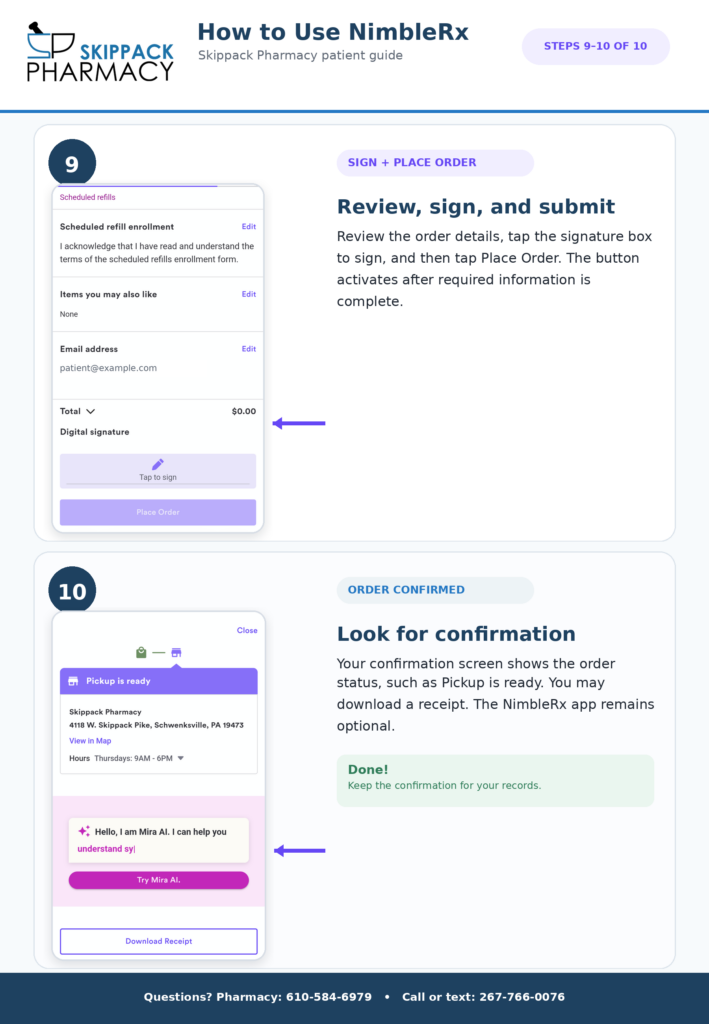
Follow Along Step by Step
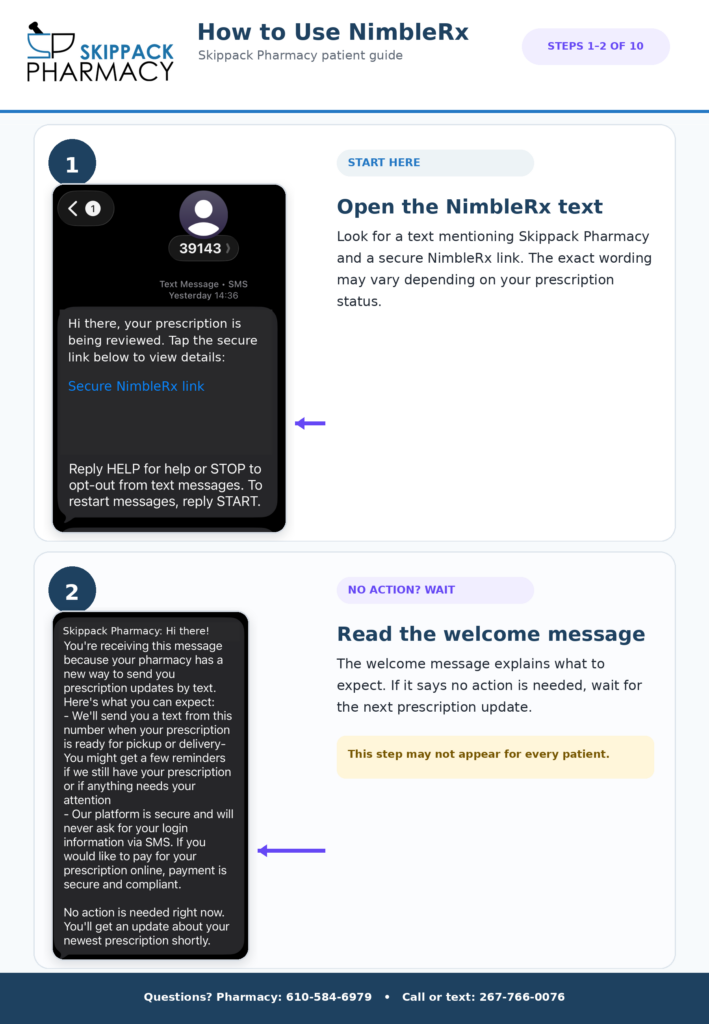
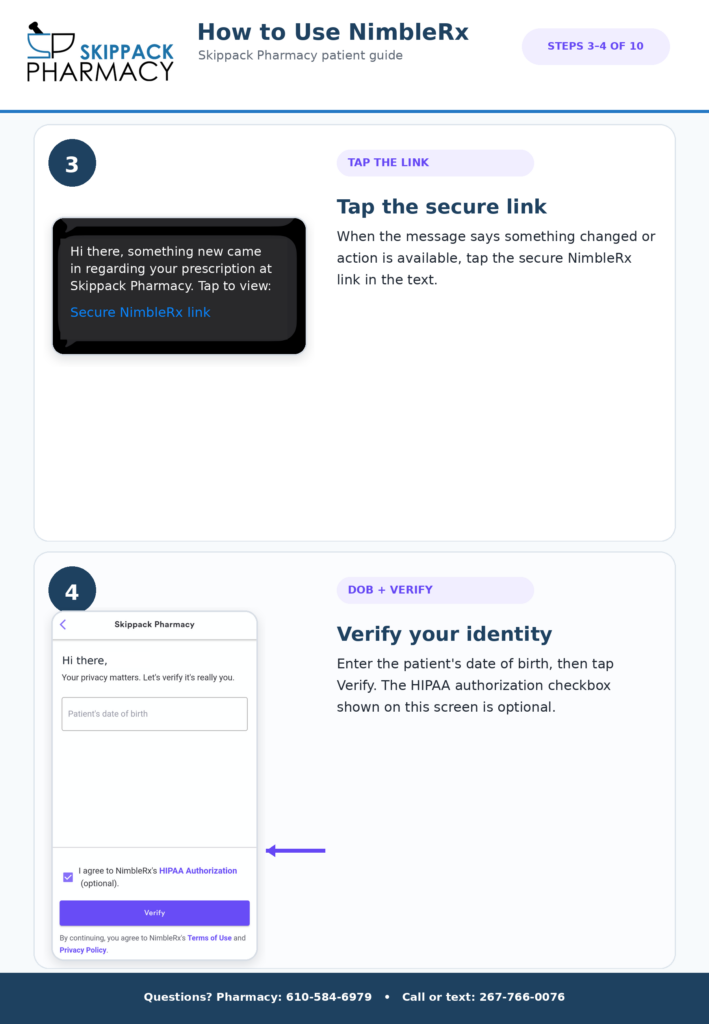
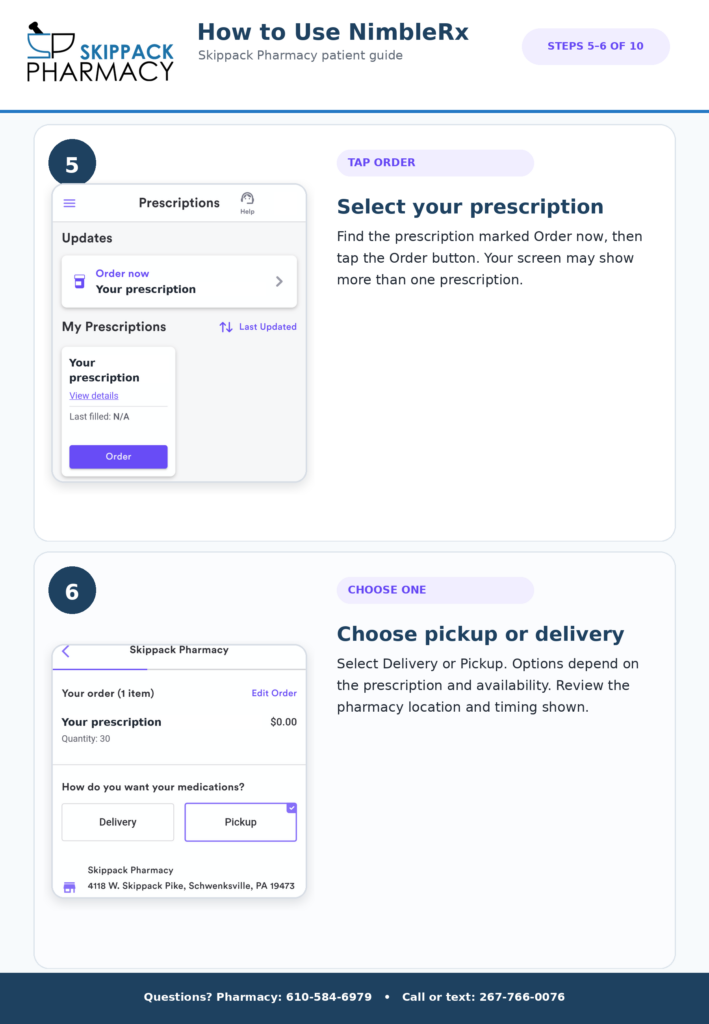
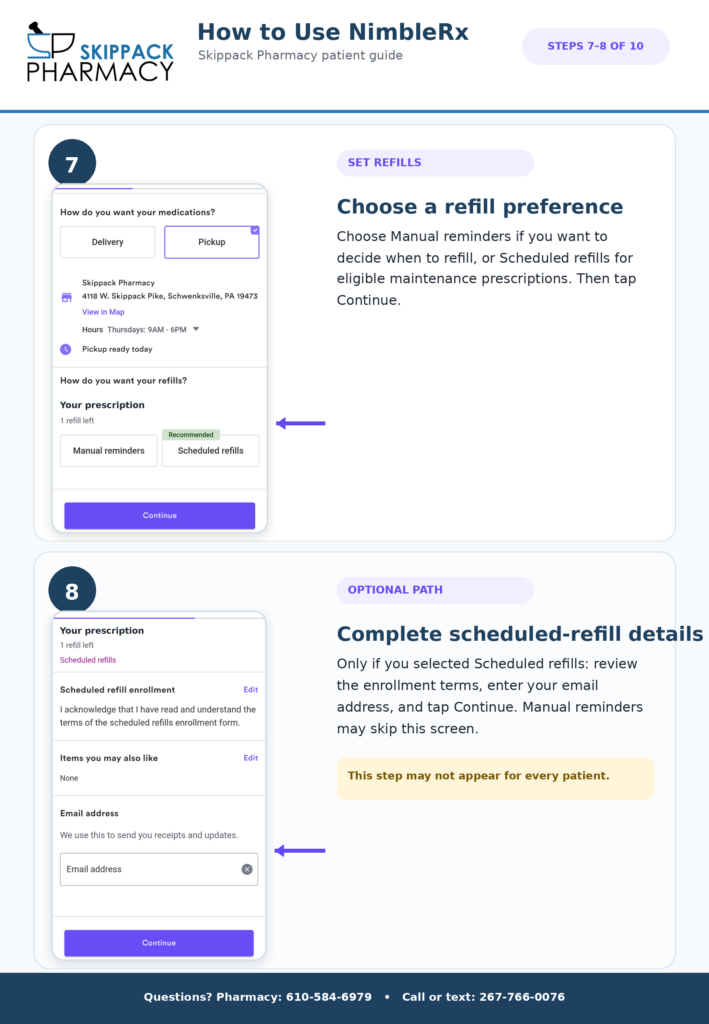
Received a NimbleRx text and aren’t sure what happens next?
We’ve created a simple visual guide showing exactly what you may see from the first text through completing your order.
Your screens may look slightly different depending on your prescription, insurance, available services, and whether certain steps apply to your order.
Managing Your Refills
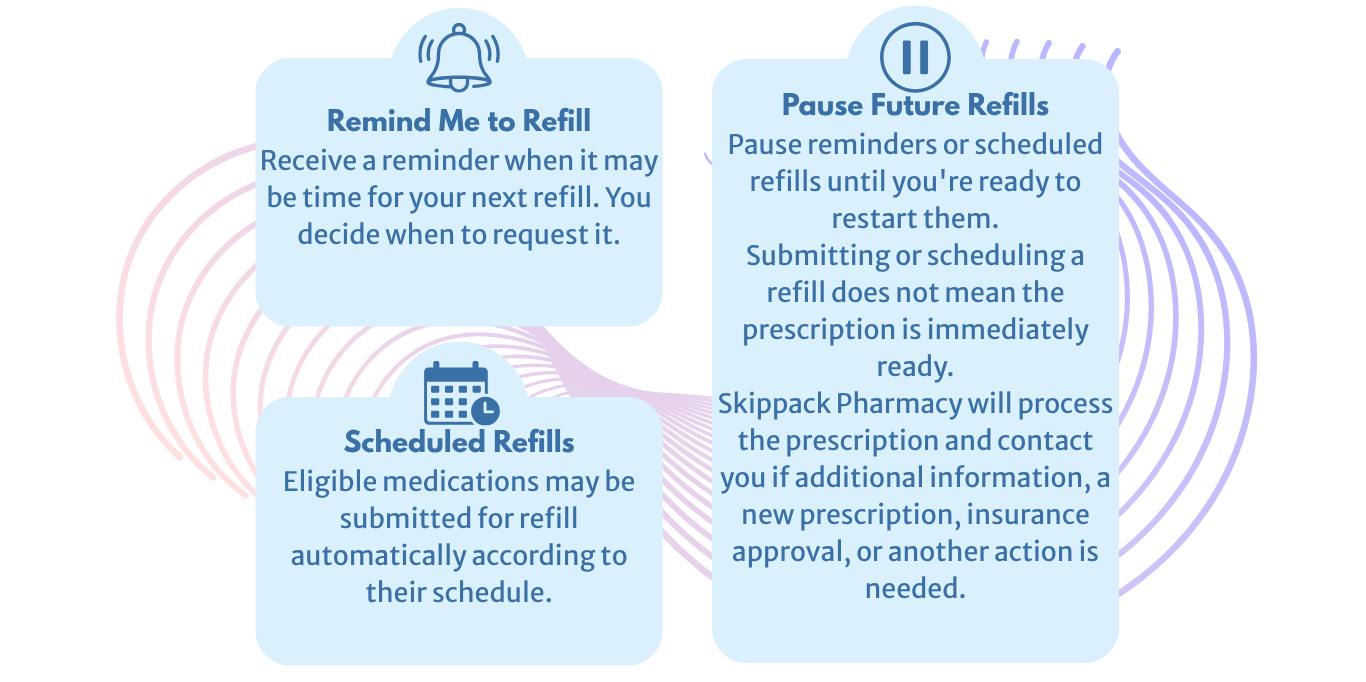
NimbleRx may give you several options for eligible maintenance medications.
Frequently Asked Questions
Is the NimbleRx text really from Skippack Pharmacy?
Yes.
Skippack Pharmacy uses NimbleRx to communicate with patients about prescriptions, payments, pickup, delivery/shipping options, and eligible refills.
If you ever receive a message that looks unusual or you aren’t sure is legitimate, do not enter payment information. Call or text Skippack Pharmacy at 267-766-0076 and we’ll help confirm it.
Do I have to use NimbleRx?
No.
NimbleRx is an added convenience, not a replacement for the pharmacy.
You can still call us, pay in person, and pick up your prescriptions at Skippack Pharmacy normally.
Do I need to download an app?
No.
Many patients can complete the process directly through the secure link sent by text.
The NimbleRx app may provide additional prescription-management features, but downloading the app is not required for every patient.
Can every prescription be shipped or delivered?
No.
Pickup, delivery, and shipping options depend on the medication and other requirements.
Certain prescriptions may not be eligible because of the medication type, refrigeration requirements, insurance restrictions, timing, signature requirements, destination, or other factors.
If an option is available for your prescription, NimbleRx will display it during the ordering process.
Is my information secure?
NimbleRx uses privacy and security safeguards for patient information and complies with applicable healthcare privacy requirements when providing services on behalf of participating pharmacies.
As with any healthcare message, only enter personal or payment information after confirming that you are using the legitimate NimbleRx link associated with Skippack Pharmacy.
If you’re ever unsure, contact us first.
Can I still pay in person?
Yes. Paying in person is still completely fine.
NimbleRX is only an added convenience for patients who want to pay ahead or manage their prescription online.
Do I need to download the NimbleRX app?
Not necessarily. Many patients can use the secure link sent by text.
Patients who want to manage prescriptions more regularly may choose to use the NimbleRX app, but it may not be required for every patient.
Is my information secure?
Nimble states that it is HIPAA compliant and uses safeguards to protect patient information. If a message seems suspicious or unexpected, do not enter payment information. Contact Skippack Pharmacy first so we can confirm the message is legitimate.
What if I think the text is spam?
If you are unsure whether a NimbleRX message is real, do not enter payment information until you contact Skippack Pharmacy directly.
You can call or text us at 267-766-0076 to confirm.
Need Help?
We’re Still Your Pharmacy
NimbleRx is simply a tool we’re using to make prescription communication and checkout more convenient.
If something doesn’t make sense, you don’t have to figure it out on your own.
Pharmacy: 610-584-6979
Call or Text: 267-766-0076
Email: clinic@skippackpharmacy.com
Skippack Pharmacy
4118 W. Skippack Pike
Schwenksville, PA 19473
Hours:
Monday–Friday: 9 AM–6 PM
Saturday: 10 AM–3 PM
Sunday: Closed